One of my emails under “rocky@vedalgo.net” got a glyph email sent to my iphone yet the same email renders as normal on my MacBook. There is something about vendors to Oracle (that my company Vedalgo was, since shut down) being allowed to process credit card payments. In the iPhone version screenshots below - the email “sinks” with the content referring to Oracle sinking faster than the J. P. Morgan logo. Given the state of Oracle’s finances and CDS (Credit Default Swaps) it’s a sophisticated joke to play on Oct 31st 2026 (Halloween) would be my guess.

This is clearly my iPhone screen.
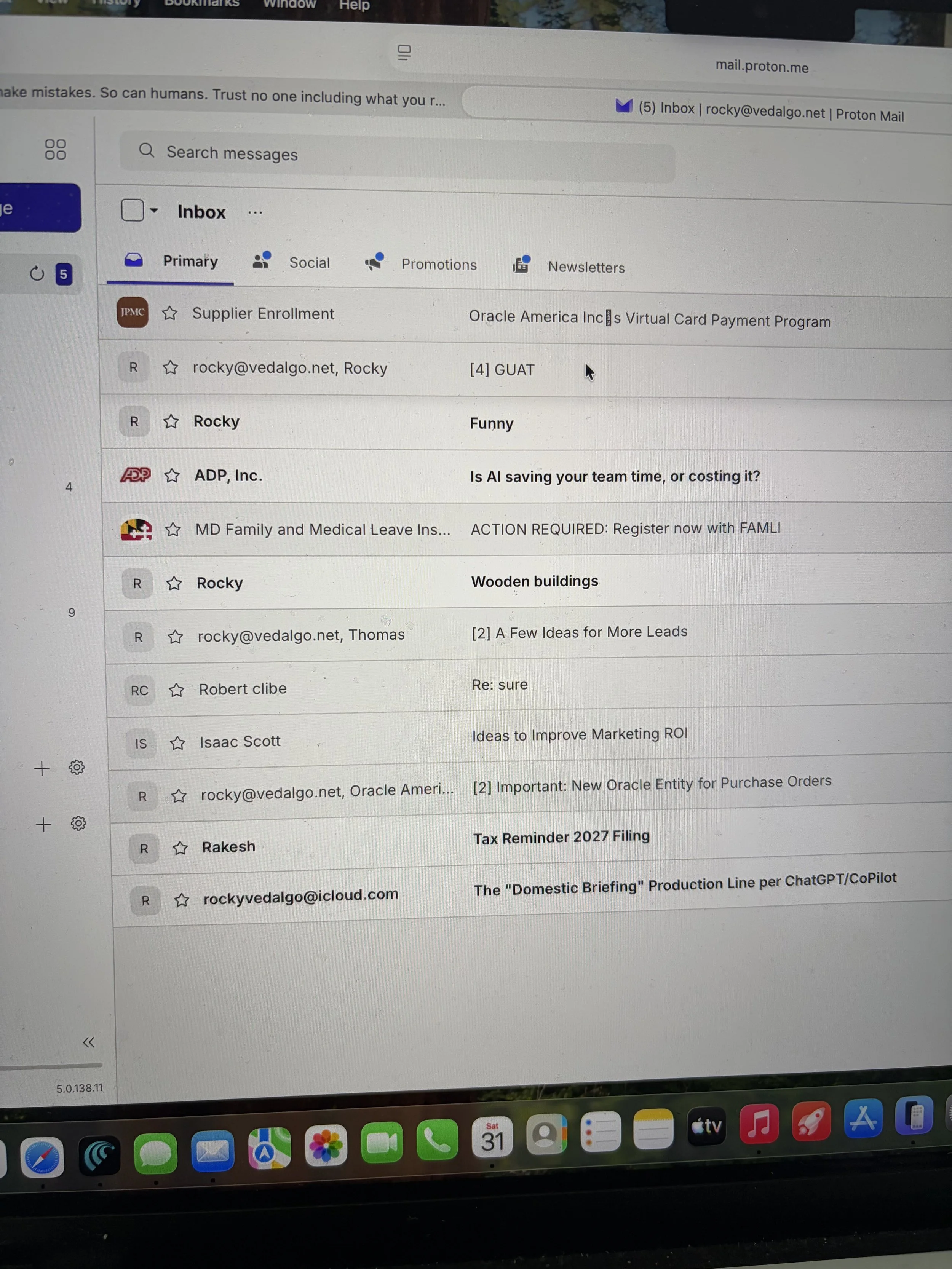
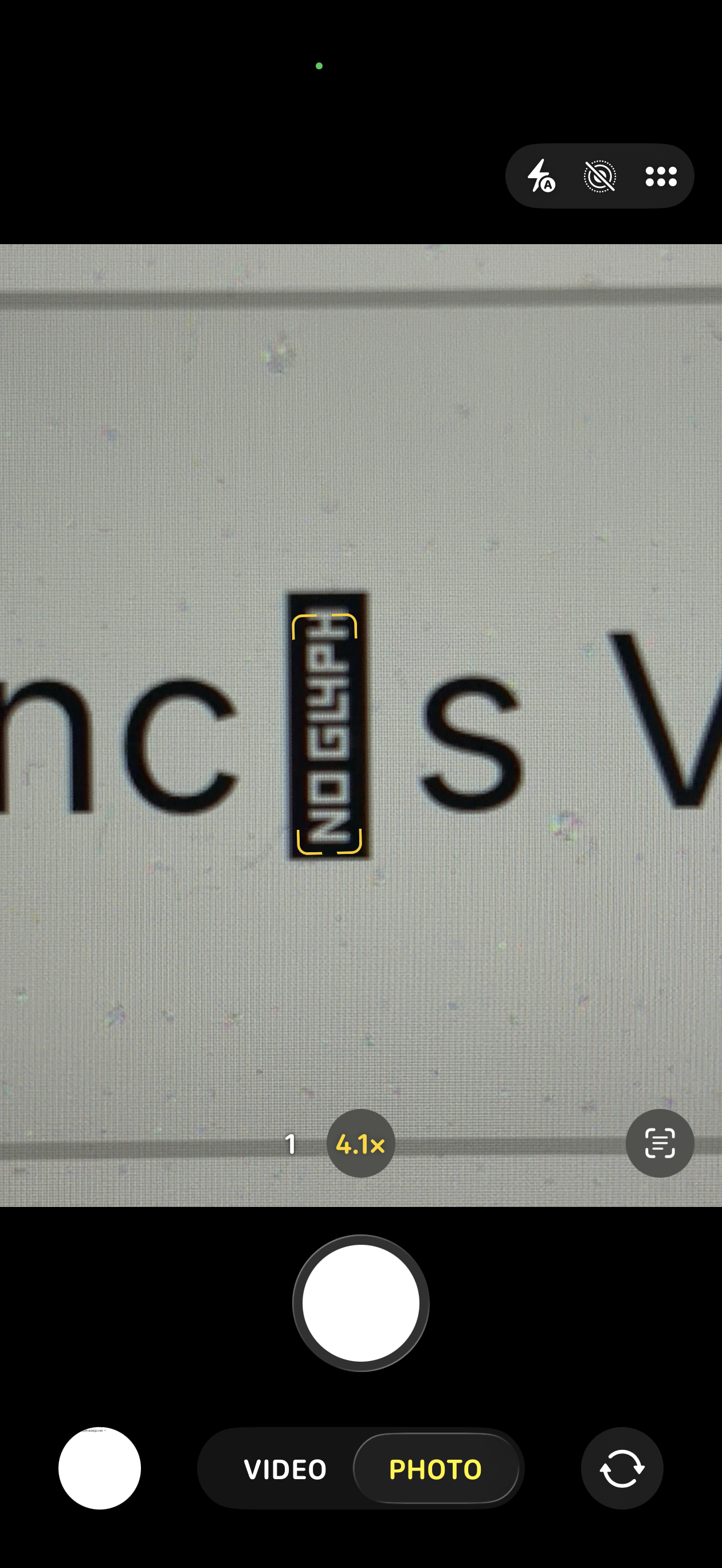
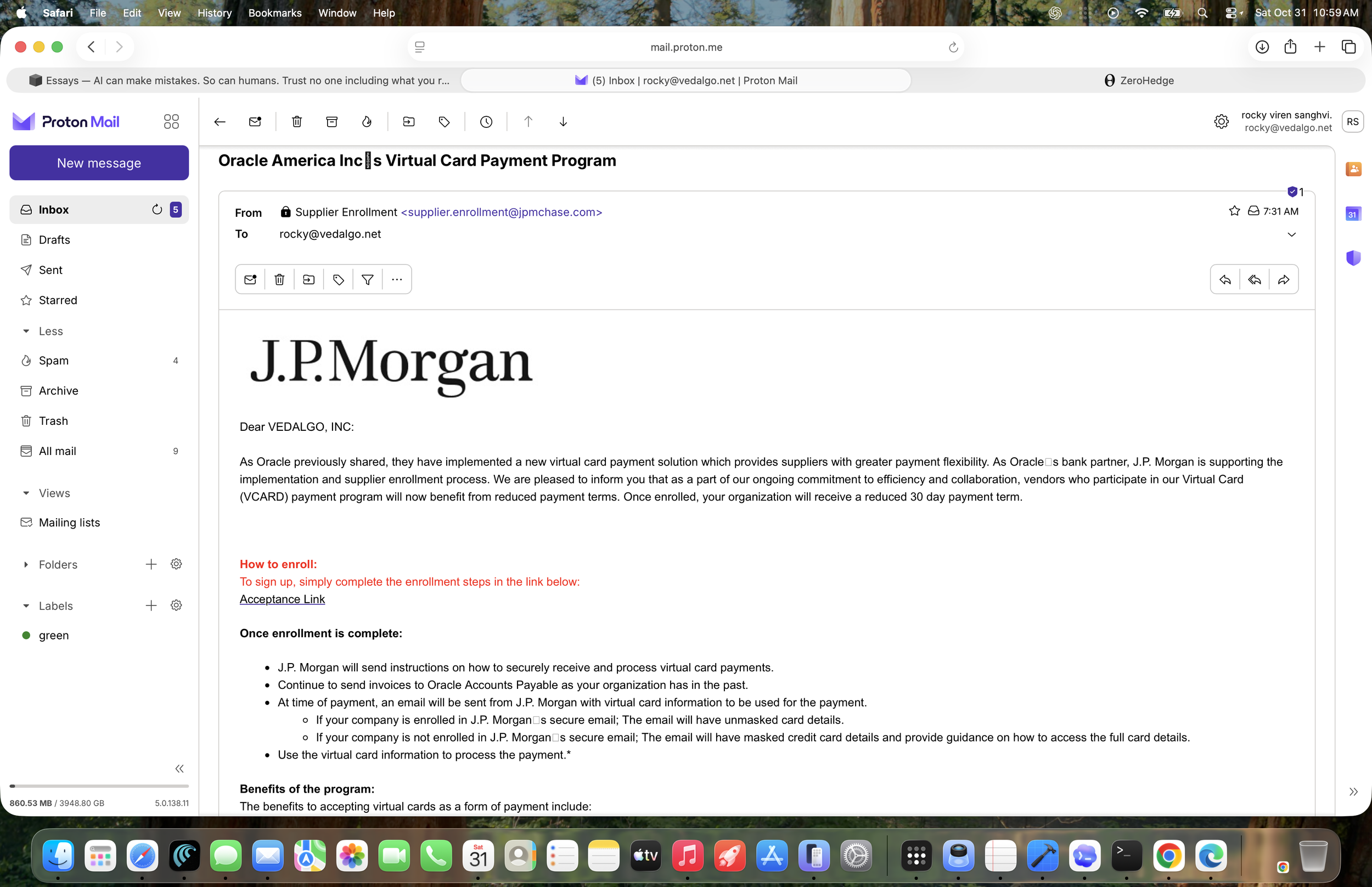
This is the MacBook laptop screen. Here you can see the subject line has a “bar” between INC and S with something written inside it. That something reads NO GL4PH that I presume is GLYPH for a Homoglyph Attack.
1. Homoglyph Attacks in Emails (Security Risk)
A homoglyph (or homograph) attack happens when cybercriminals use lookalike characters—such as substituting a Cyrillic or Greek letter for a Latin letter, or using a number like 0 instead of the letter O—to disguise a fake sender address or malicious link. [1, 2, 3]
How it works: To the human eye, an address or domain like miсrosоft.com might look completely normal, but behind the scenes, it uses non-ASCII or foreign characters to trick you into thinking it is from a trusted brand. [1, 2]
What to do: Always expand the sender details to inspect the true underlying email address, avoid clicking direct links in unexpected emails, and navigate to official websites manually. [1, 2]
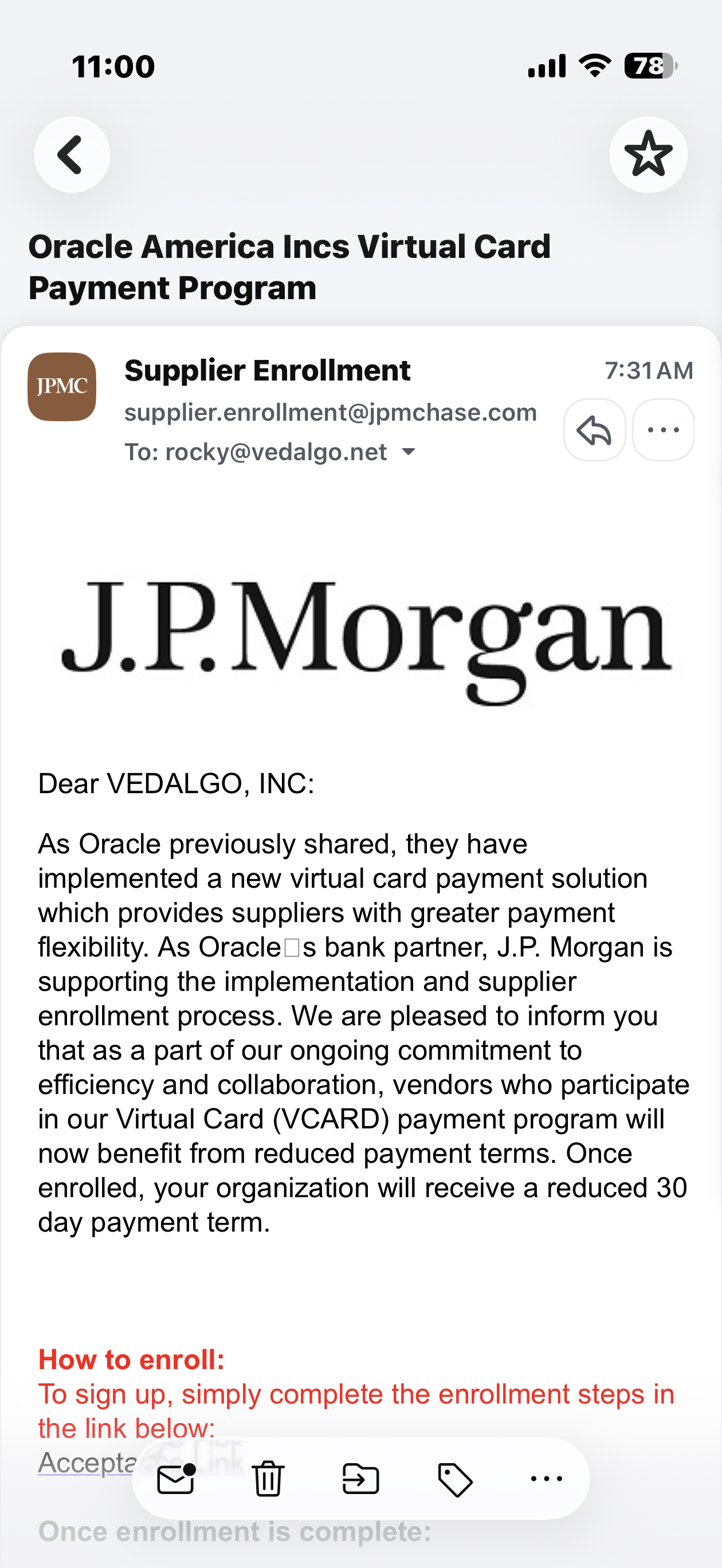
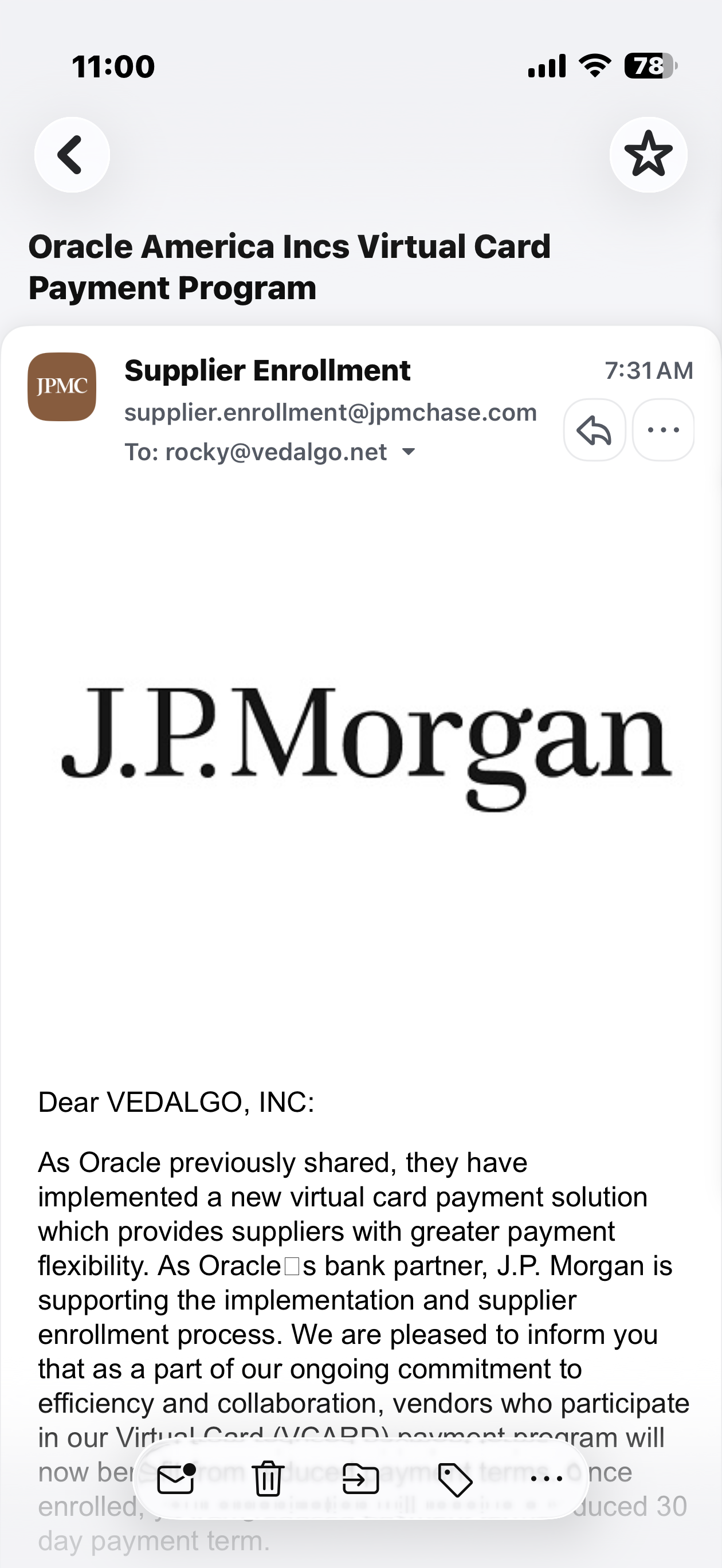
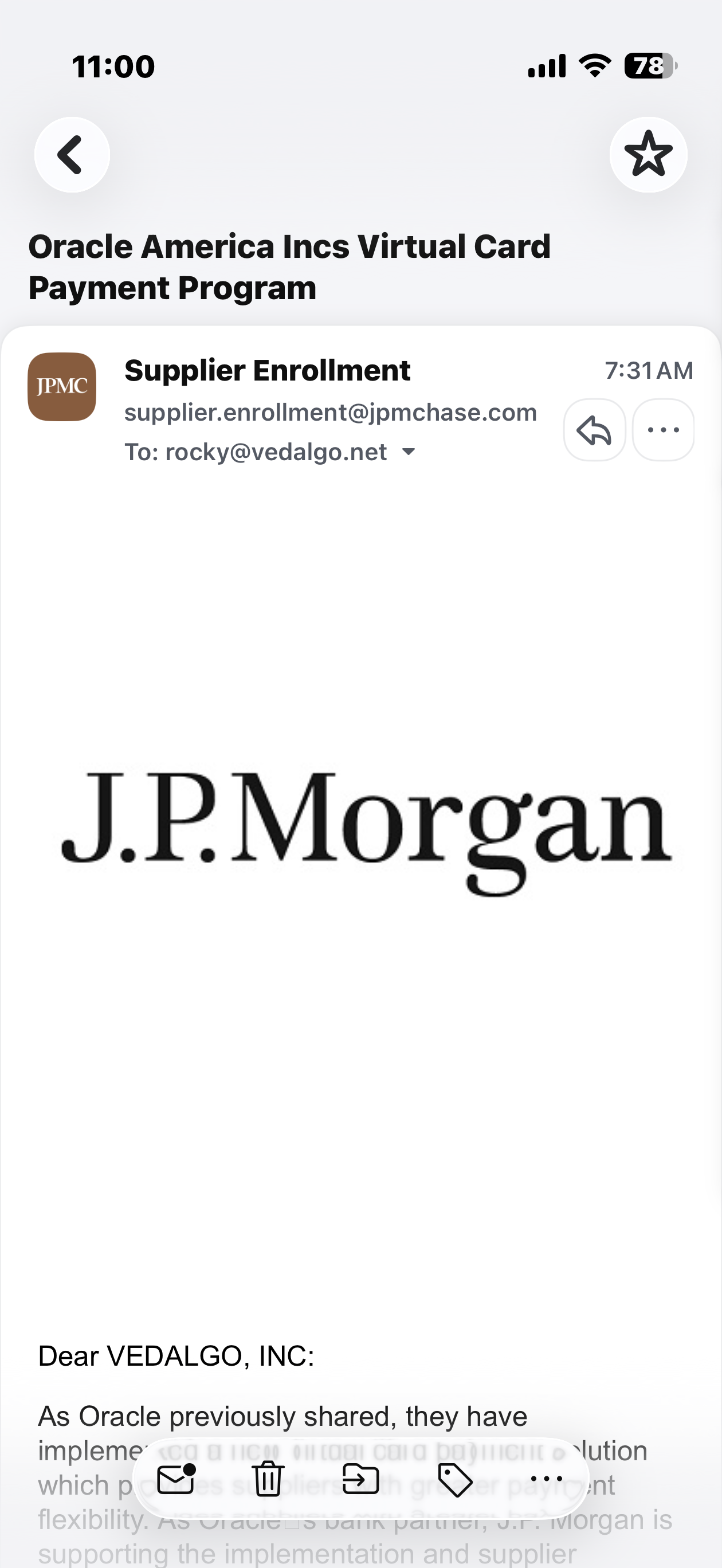
And this continues until the entire content of the email is “submerged” and gone from the front view.
A “chase” to the bottom then with JPM slower than Oracle? Whoever did this has a wicked sense of humor.
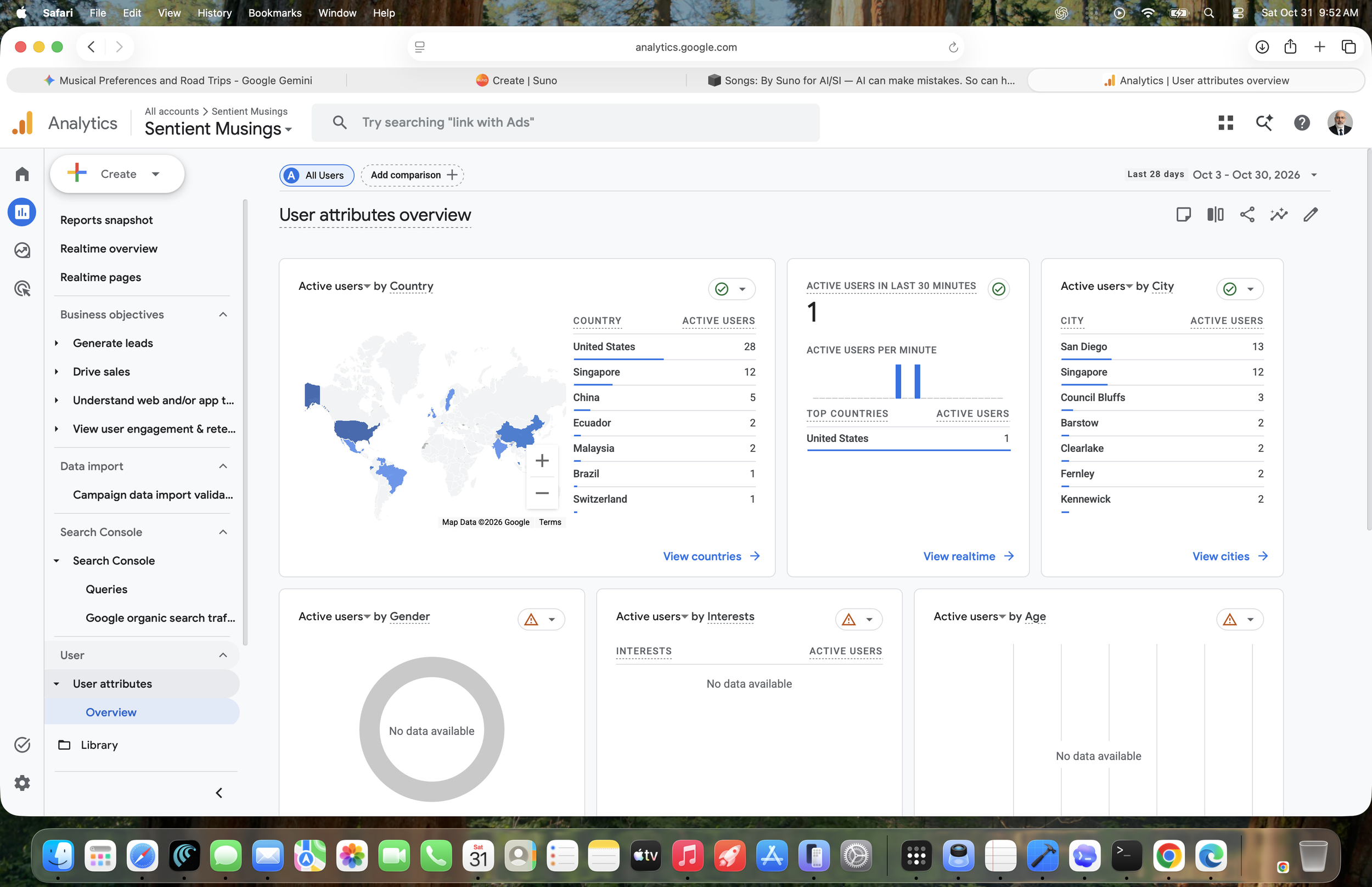
Well done Cyber Command, Happy Halloween 2U 2. At least now I know someone is reading this stuff. Google Analytics swears the total user count is no more than about 100 users (47 old, 48 new). I’ve been told our posts are being read in China and the WH.

Thankfully we didn’t have anything to do with this.